Xpress Genie is the AI helper in the Xpress ASSIST app, on every PC we look after. This page lists everything it can fix, what fixes itself, and what Genie will never do. Share it with your team.
Click Ask Xpress Genie on the Xpress ASSIST app, or use it while you wait for a support technician. Type the problem in your own words, or press the picture button to show Genie the error. Genie checks the PC, explains the cause in plain English, and offers one fix. Nothing changes until you press "Yes, do it".
"Printer stuck", "Teams can't hear me", or show it the error.
Disk, printers, network, antivirus, updates and more.
It explains the fix in one line before it does anything.
It checks it worked. If not, a support technician takes over.
Every fix is written and tested by Xpress. Genie can only choose from this list. It can't make up its own commands.
Stuck printers are the most common call we get. Genie clears them in seconds.
Outlook, OneDrive and Office sign-in problems, sorted without losing any mail or files.
Ready for the next meeting: headset, microphone, camera and speakers.
When the internet works for everyone else but not for you.
Space freed and frozen programs closed. Your documents are never touched.
Bigger fixes that normally need IT admin rights. Xpress ASSIST runs them safely for you.
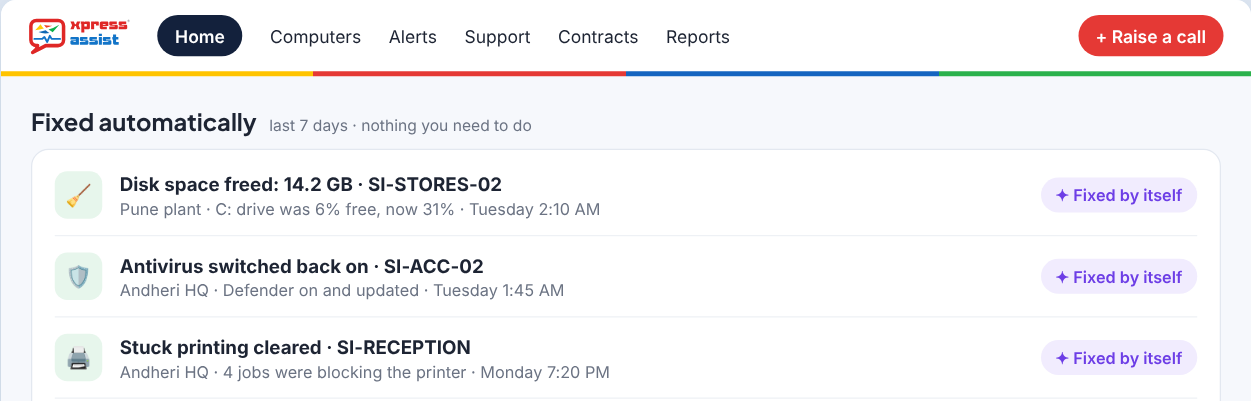
Xpress ASSIST checks every PC around the clock. When it finds one of these problems, it fixes it on its own, checks the fix worked, and shows it in your control panel as Fixed automatically. The user gets a short note the next time they sign in.
| When the health check finds | What happens | When |
|---|---|---|
| Disk less than 10% free | Temporary files are cleared | At night, or within 24 hours |
| Antivirus (Microsoft Defender) switched off | It is switched back on and updated | At the next check |
| Print jobs stuck for an hour | The print queue is cleared | At the next check |
| Clock wrong by 2 minutes or more | The clock is corrected | At the next check |
| No Windows updates for 45 days | Windows Update is reset | At night |
| Restart waiting for 7 days | The user is asked to pick a time. A PC is never restarted on its own. | At the next check |
| OneDrive stopped | OneDrive is restarted (switched on by Xpress on request) | At the next check |
A fix only counts when the next check shows it worked. If it doesn't work after two tries, it stops and an Xpress support technician looks at it. Self-healing never runs on servers.
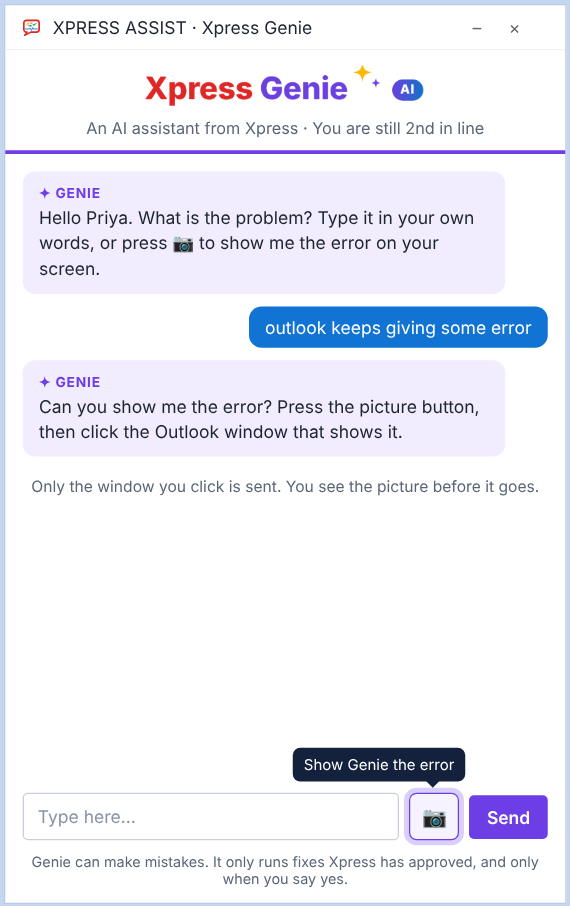
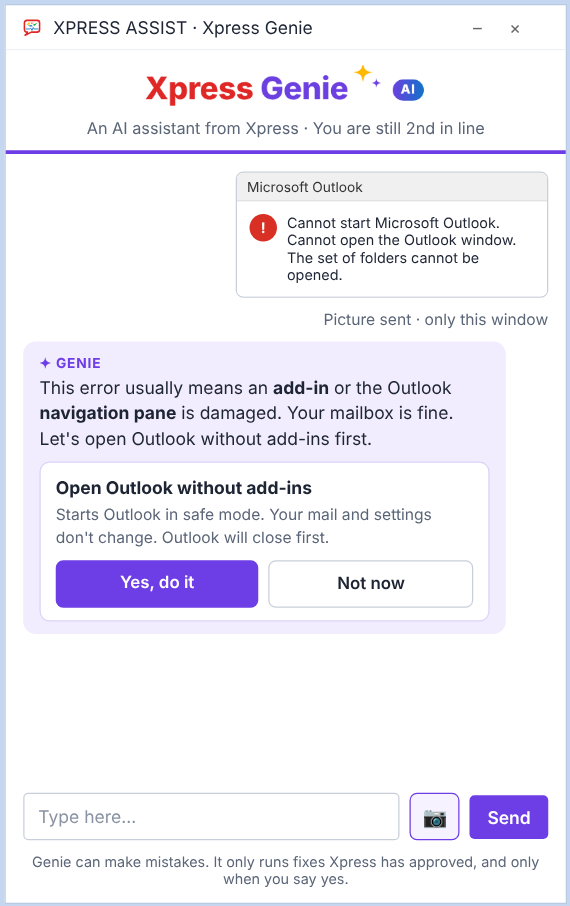

Genie tells you when our support technicians are back, and still checks your PC and tries the safe fixes. If the problem needs a person, it saves a support call with what it found, what it tried and your call-back number. We pick it up first thing in the morning.
During working hours, Genie hands over to an Xpress support technician with a short summary: the problem, what it checked and what it tried. You don't have to explain it again. You can also click Connect to Xpress at any time instead of using Genie.
Genie is an AI, and AI can make mistakes. That's why it can only use the fixes on this page, and only with your OK.
Servers run your business, so Genie is gentler there. Server work is done by Xpress support technicians.
| What Genie does | PCs and notebooks | Servers |
|---|---|---|
| Answers questions and explains problems | ||
| "Your account" fixes | ||
| "Whole PC" fixes | Never | |
| Fixes itself (self-healing) | Never | |
| Restart | Only at a time the user picks | Never |
Silver, Gold, Gold+ and Platinum all include Xpress Genie, 24x7 monitoring and your control panel, at no extra cost. Every Genie fix also shows in your monthly IT report.

This list describes Xpress Genie in Xpress ASSIST 1.15, October 2026. Xpress adds new fixes from time to time. Xpress Computers Ltd · 205, Woodrow, Veera Desai Road, Andheri West, Mumbai 400053 · sales@xpress.co.in · getxpressassist.com