Home / Free IT health check

How healthy is your IT, really? Find out free in 7 days.

Install Xpress ASSIST on up to 10 PCs and 1 server. For 7 days we check them around the clock, and Xpress Genie helps your staff with all 30 fixes switched on. On day 7 you get a clear report, checked by an Xpress support technician. No cost and no obligation.

Start my free health check +91 22 6612 2000
7 days, freeNo cost, no obligation
10 PCs + 1 serverNotebooks count as PCs
Genie fully on30 fixes and self-healing
Report on day 7Checked by a support technician
How it works

From sign-up to report in one week

Installing takes about two minutes per PC. Nothing changes for your staff, except that help is now one click away.

Day 0

Tell us about you

Fill in the short form below. We e-mail you a private download link, made for your company.

Day 1

Install in 2 minutes

Run the setup on up to 10 PCs and 1 server. The 7 days start when the first PC checks in.

Days 1 to 7

We check, Genie helps

Disk, antivirus, updates, backups and more are checked. Your staff can ask Xpress Genie for help any time.

Day 7

Your report and a call

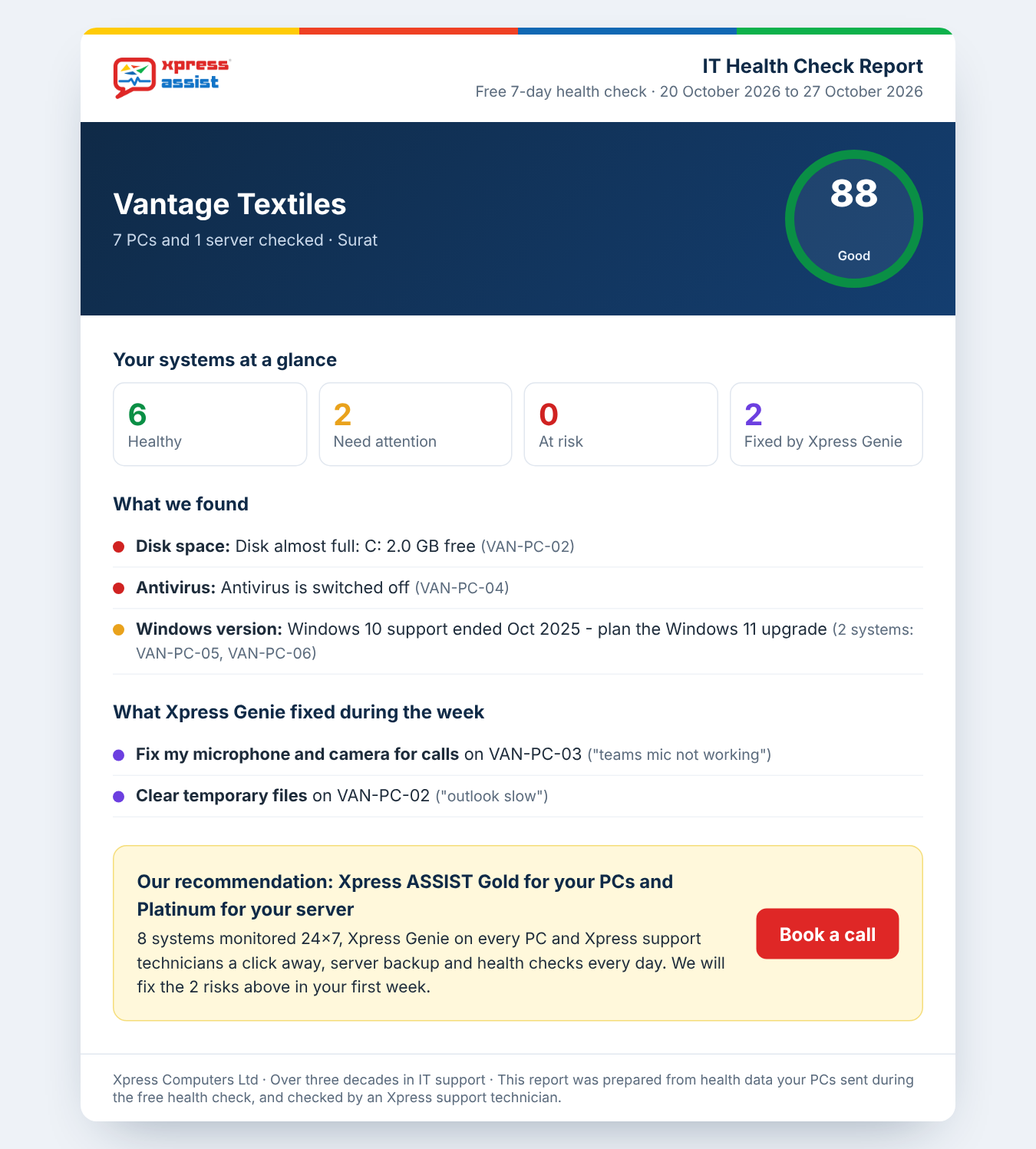
You get your IT health report: your score, what we found, what Genie fixed and what we recommend.

Your report

A clear picture of your IT, in plain English

On day 7 your report is checked by an Xpress support technician before it reaches you. Then we'll walk you through it on a short call, and answer any questions.

  • Your IT health score out of 100
  • Healthy, needs attention and at risk, PC by PC
  • Risks such as full disks, antivirus off and Windows 10 PCs
  • Everything Xpress Genie fixed during the week
  • The plan we recommend, and why
A sample IT health check report
On your PCs

What your staff see during the 7 days

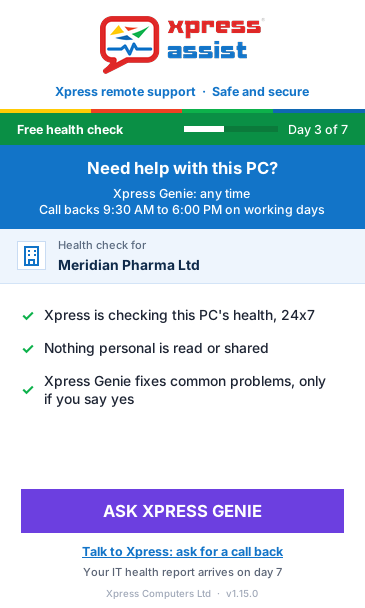
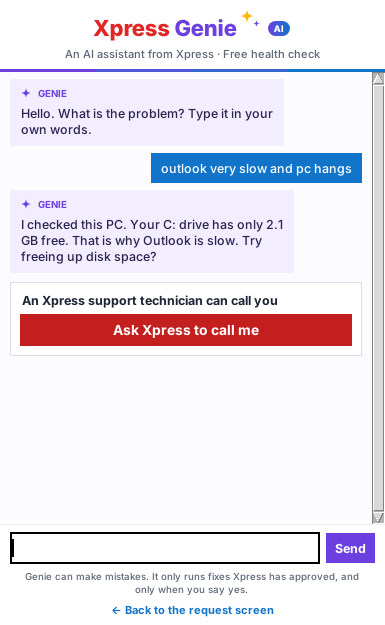
The Xpress ASSIST window shows the day of the health check. The big button asks Xpress Genie. Need a person? Ask for a call back right from the app.

Xpress ASSIST during the free health check
During the health check
Asking Xpress for a call back
Ask for a call back
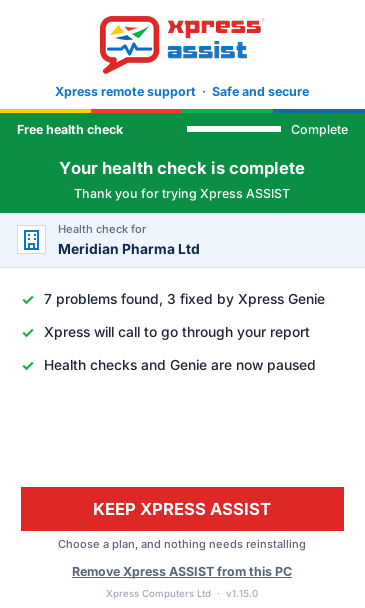
Xpress ASSIST after day 7
After day 7: keep it or remove it
After day 7

Keep it, or remove it in one click

If you like what you see, choose a plan and we switch you over. Your PCs keep Xpress ASSIST, with nothing to reinstall. If not, each user can remove the app with one click, or we can help.

  • No credit card, no contract to sign
  • After day 7, checks and Genie pause on their own
  • Your report is yours to keep, whatever you decide
A business owner and a manager going through their IT health report
Go through it togetherA short call with Xpress to explain every finding.

Start my free health check

We'll e-mail your download link within one working day. Fields marked * are required.

An Xpress support technician
Questions first?Call +91 22 6612 2000, 9:30 AM to 6 PM on working days.

Good to know

Your files stay privateWe check PC health only: disk, antivirus, updates and similar. Never your files or e-mails.
Windows PCs and serversWindows 10 and 11, and Windows Server 2012 R2 or later. Installing needs admin rights.
Need a person?Ask for a call back from the app. Remote sessions start when you become a customer.
Questions

About the free health check

Is it really free?

Yes. The health check costs nothing and there is no obligation to buy. We'd rather show you what Xpress ASSIST does on your own PCs than just tell you.

Will it slow down our PCs?

No. Xpress ASSIST checks the PC in the background a few times a day, using very little of the PC's power.

What if we have more than 10 PCs?

Pick the 10 PCs and 1 server that matter most, or that give the most trouble. For a bigger company we can plan a larger check with you.

Can your support technicians fix things during the week?

Xpress Genie can, with all 30 fixes. Our support technicians don't connect to your PCs during the health check, but you can ask for a call back from the app at any time.

What happens after day 7?

Checks and Genie pause on their own. You get your report and a call from us. Become a customer and everything carries on, or remove the app in one click.

Who sees our report?

Only you and the Xpress team. The report is checked by an Xpress support technician before we send it.